Introducing the New DFS Terminal and Portfolio Simulator

The new DFS Terminal brings your entire DFS workflow into one workspace. Research the slate, build lineups, manage your entries, and follow the results live without moving between separate tools.

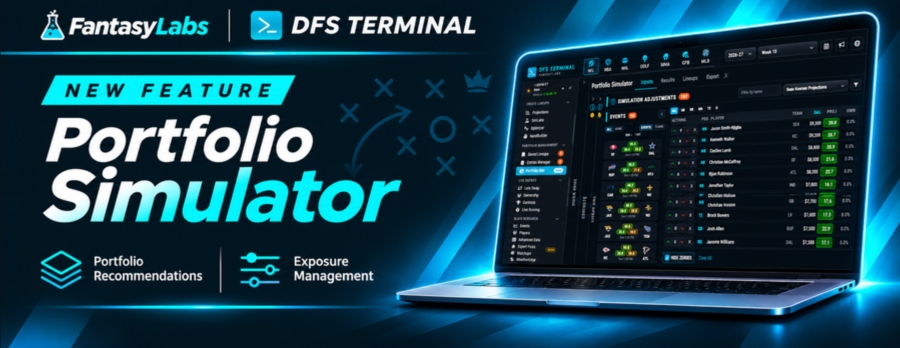
The newest addition is the Portfolio Simulator, which evaluates your lineups against a realistic contest field and selects a set for the contests you’re entering. Rather than looking at each lineup in isolation, it helps you choose lineups that work together as one portfolio.

Meet the Portfolio Simulator

Building great lineups is half the battle. Choosing which ones to enter and how they fit together is where the Portfolio Simulator comes in.

Built for tournaments, the tool runs 100,000 simulated slates against a realistic field. Teammates are modeled to rise and fall together, and tied finishes split prize money.

You can start with saved lineups, upload a CSV, or add Quick Pool lineups from the latest simulations, with support for up to 3,000 lineups. From there, pull contest details from your entries file or add them manually, whether you’re entering one contest or several.

You can also choose a projection set and apply boosts and docks. Those adjustments shift the whole field, not just your own lineups.

Compare Three Portfolio Options

The Portfolio Simulator gives you three portfolios to compare: EV, Balanced, and Diversified. These options range from prioritizing the most expected value to creating the most spread between lineups.

Compare ROI, Top 10, Top 100, and Cash rates alongside player exposures, stacks, and who you’re rooting for. If you want to make changes, set exposure limits and use Rebalance or swap individual lineups.

Once you’re satisfied, accept a portfolio to fill your entries and download a file ready to upload to the site. Runs take minutes, continue if you switch tabs, and alert you when they’re ready.

The Portfolio Simulator is live for NFL and golf. NBA is coming very soon. (NHL and MLB will also be available.)

Research the Slate in One Place

The DFS Terminal brings matchups, Vegas odds, game environment, salaries, projections, and ownership into the Events and Players tools. Advanced Data adds sport-specific tables, splits, and trends.

The research workspace also includes tools for individual sports:

  • MLB: Review Starting Lineups and PlateIQ batter-vs.-pitcher matchups.
  • NFL: Explore game-level Matchups (coming soon).
  • WeatherEdge: See how the forecast has moved scoring, runs, and home runs in similar MLB and NFL games.

You can choose a projection set, upload your own CSV, paste projections from a spreadsheet, or blend several sets with custom weights. That flexibility lets you use the projections you prefer throughout your workflow.

Build Lineups Your Way

The DFS Terminal offers three lineup-building tools: SimLabs, Optimizer, and HandBuilder. Choose the approach that fits how you want to build.

  • SimLabs: Simulates the slate thousands of times and builds lineups from the results, with up to 1,000 lineups per build.
  • Optimizer: Builds around your rules, stacks, and exposure limits, including multi-stack combinations and NHL line stacks.
  • HandBuilder: Lets you build one lineup by hand with live salary feedback, plus one-click QB stacks for NFL and line stacks for NHL.

Once you’ve built your lineups, you can move into portfolio management and entry preparation within the same workspace. The Portfolio Simulator adds another way to evaluate your lineup pool before deciding what to enter.

Become an All-Access Member Today

Lineup builder and optimizer

Real-time DFS models & projections

NFL, MLB, NBA, MMA and PGA Sims
 

Manage Your Lineups and Contest Entries

Saved Lineups lets you store, tag, and rate every lineup, with live scoring included. Your lineup pool stays available as you move through the rest of the process.

The Entries Manager handles contest-entry preparation. Upload your site’s entries file, use Quick Fill to fill every contest in two clicks, and export a file that’s ready to upload.

For a simulation-based approach to selecting your entries, use the Portfolio Simulator to compare portfolios and fine-tune exposures before accepting your selections. You can then fill your entries and download the upload-ready file.

Follow Your Entries Live

The DFS Terminal continues working after lock, with tools for late swap, ownership, and live contest tracking. You can follow your entries as games play out and manage lineups that still have players available to swap.

  • Late Swap: Re-optimize entered lineups after lock, with started players held in their slots.
  • Ownership: Review projected and live ownership.
  • Contests and Live Scoring: Follow real-time standings as games unfold.

Customize Your DFS Workspace

Multi-slate management lets you add several slates and work on them side by side. Collapsible panels give you more room, and several themes let you customize the look of your workspace.

Quick Guide panels are built into many tools, and walkthrough videos are available on the Support page, with more coming soon. From slate research and lineup creation to portfolio selection and live tracking, the new DFS Terminal brings the full process together.

The new DFS Terminal brings your entire DFS workflow into one workspace. Research the slate, build lineups, manage your entries, and follow the results live without moving between separate tools.

The newest addition is the Portfolio Simulator, which evaluates your lineups against a realistic contest field and selects a set for the contests you’re entering. Rather than looking at each lineup in isolation, it helps you choose lineups that work together as one portfolio.

Meet the Portfolio Simulator

Building great lineups is half the battle. Choosing which ones to enter and how they fit together is where the Portfolio Simulator comes in.

Built for tournaments, the tool runs 100,000 simulated slates against a realistic field. Teammates are modeled to rise and fall together, and tied finishes split prize money.

You can start with saved lineups, upload a CSV, or add Quick Pool lineups from the latest simulations, with support for up to 3,000 lineups. From there, pull contest details from your entries file or add them manually, whether you’re entering one contest or several.

You can also choose a projection set and apply boosts and docks. Those adjustments shift the whole field, not just your own lineups.

Compare Three Portfolio Options

The Portfolio Simulator gives you three portfolios to compare: EV, Balanced, and Diversified. These options range from prioritizing the most expected value to creating the most spread between lineups.

Compare ROI, Top 10, Top 100, and Cash rates alongside player exposures, stacks, and who you’re rooting for. If you want to make changes, set exposure limits and use Rebalance or swap individual lineups.

Once you’re satisfied, accept a portfolio to fill your entries and download a file ready to upload to the site. Runs take minutes, continue if you switch tabs, and alert you when they’re ready.

The Portfolio Simulator is live for NFL and golf. NBA is coming very soon. (NHL and MLB will also be available.)

Research the Slate in One Place

The DFS Terminal brings matchups, Vegas odds, game environment, salaries, projections, and ownership into the Events and Players tools. Advanced Data adds sport-specific tables, splits, and trends.

The research workspace also includes tools for individual sports:

  • MLB: Review Starting Lineups and PlateIQ batter-vs.-pitcher matchups.
  • NFL: Explore game-level Matchups (coming soon).
  • WeatherEdge: See how the forecast has moved scoring, runs, and home runs in similar MLB and NFL games.

You can choose a projection set, upload your own CSV, paste projections from a spreadsheet, or blend several sets with custom weights. That flexibility lets you use the projections you prefer throughout your workflow.

Build Lineups Your Way

The DFS Terminal offers three lineup-building tools: SimLabs, Optimizer, and HandBuilder. Choose the approach that fits how you want to build.

  • SimLabs: Simulates the slate thousands of times and builds lineups from the results, with up to 1,000 lineups per build.
  • Optimizer: Builds around your rules, stacks, and exposure limits, including multi-stack combinations and NHL line stacks.
  • HandBuilder: Lets you build one lineup by hand with live salary feedback, plus one-click QB stacks for NFL and line stacks for NHL.

Once you’ve built your lineups, you can move into portfolio management and entry preparation within the same workspace. The Portfolio Simulator adds another way to evaluate your lineup pool before deciding what to enter.

Become an All-Access Member Today

Lineup builder and optimizer

Real-time DFS models & projections

NFL, MLB, NBA, MMA and PGA Sims
 

Manage Your Lineups and Contest Entries

Saved Lineups lets you store, tag, and rate every lineup, with live scoring included. Your lineup pool stays available as you move through the rest of the process.

The Entries Manager handles contest-entry preparation. Upload your site’s entries file, use Quick Fill to fill every contest in two clicks, and export a file that’s ready to upload.

For a simulation-based approach to selecting your entries, use the Portfolio Simulator to compare portfolios and fine-tune exposures before accepting your selections. You can then fill your entries and download the upload-ready file.

Follow Your Entries Live

The DFS Terminal continues working after lock, with tools for late swap, ownership, and live contest tracking. You can follow your entries as games play out and manage lineups that still have players available to swap.

  • Late Swap: Re-optimize entered lineups after lock, with started players held in their slots.
  • Ownership: Review projected and live ownership.
  • Contests and Live Scoring: Follow real-time standings as games unfold.

Customize Your DFS Workspace

Multi-slate management lets you add several slates and work on them side by side. Collapsible panels give you more room, and several themes let you customize the look of your workspace.

Quick Guide panels are built into many tools, and walkthrough videos are available on the Support page, with more coming soon. From slate research and lineup creation to portfolio selection and live tracking, the new DFS Terminal brings the full process together.

About the Author

The FantasyLabs staff is dedicated to bringing you the best DFS news, resources, and tools.