Updated on 11/5/26

Use the Polymarket promo code
The NBA’s Cup group play continues on Friday, November 6. In the NFL, Week 9’s headline Sunday afternoon game is Packers at Patriots at 4:25 p.m. ET on FOX on Sunday, November 8, a national broadcast billed as Tom Brady’s first call of a Patriots game, followed that night by Buccaneers at Bears on Sunday Night Football. In college football, No. 2 Georgia visits No. 12 Ole Miss on Saturday, November 7.
Baseball is done for the year. The Brewers won the World Series 4-1, clinching in Game 5 on Wednesday, October 28, for the first title in franchise history.
This offer applies only to the Polymarket US app. It doesn’t apply to Polymarket.com, the separate international platform. We re-checked this offer on November 5, 2026: code
TL;DR Polymarket Promo Code
- 🎁 Use promo code
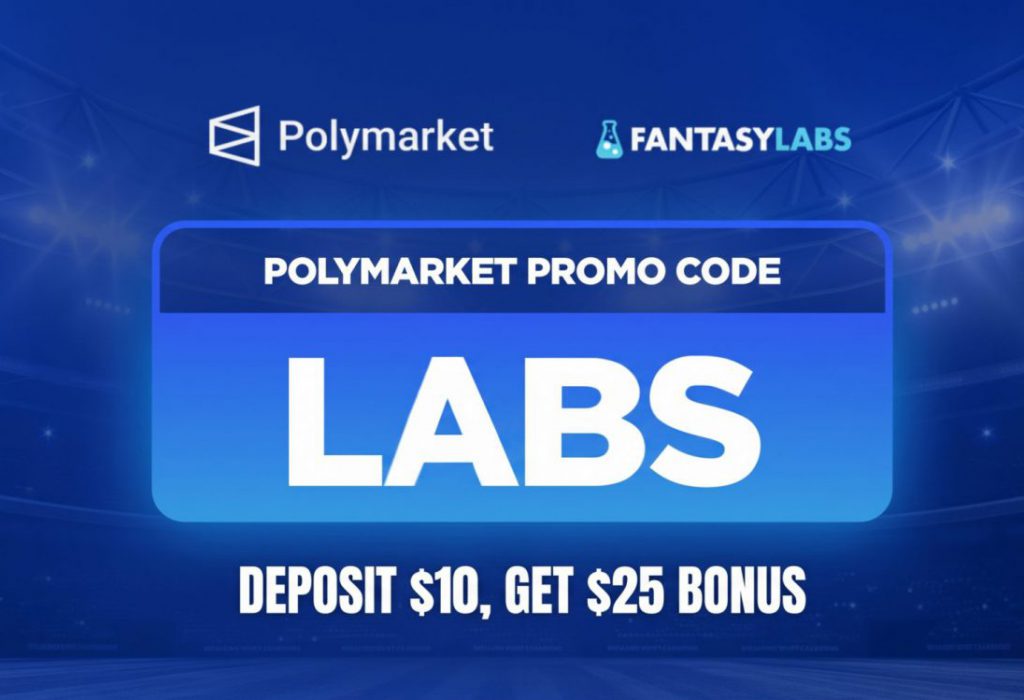
LABS :Deposit $10, Get a $25 Trading Bonus! Your account gets your $10 deposit plus $25 in promotional trading credit. - 💵 The bonus is fixed: Depositing more than $10 won’t increase the $25 credit, so there’s no bonus-related reason to deposit more.
- 📱 Regulated U.S. app: Polymarket US is available on iOS and Android, while the
LABS offer is available in 41 states plus D.C. - 📈 Trade, don’t bet: Prices come from other traders, not house odds; and you can sell out of a position before the event settles.
- 💸 Your cash gets used first: Polymarket uses your deposited funds before the bonus credit. The credit can be used across multiple trades and toward applicable fees, but it expires 30 days after issuance.
Polymarket Promo Code at a Glance
| Offer detail | Current information |
|---|---|
| Polymarket promo code | |
| Polymarket welcome offer | |
| Terms | |
| Where to enter the code | During account registration |
| Supported devices | Polymarket US app on iOS and Android |
| Offer available in | AK, AL, AR, CA, CO, CT, DC, DE, FL, GA, HI, IA, ID, IN, KS, KY, LA, ME, MN, MO, MS, NC, ND, NE, NH, NJ, NM, NY, OK, OR, PA, RI, SC, SD, TN, TX, UT, VA, VT, WI, WV, WY |
| How funds are used | Your deposited funds are used first, then the $25 promotional credit |
| Offer not available in | AZ, IL, MA, MD, MI, MT, NV, OH, and WA |
| Last verified | November 5, 2026 |
*The state list above applies to the
Is the Polymarket Promo Code Worth Using?
Yes, if you’re signing up anyway,
Just keep the two balances separate. Your own deposited funds are used first when you open a position, while the $25 bonus covers anything beyond your available cash. The promotional credit itself can’t be withdrawn.
You’re still taking market risk once you trade. Contract prices can move against you, thin order books can widen spreads, and taker fees apply when you hit an existing order.
How the Polymarket Bonus Compares to Kalshi’s
The two biggest prediction markets take opposite approaches to their welcome offers:
| Polymarket (code | Kalshi (code | |
|---|---|---|
| Offer | ||
| Bonus type | $25 promotional trading credit for eligible new users | $55 promotional credit for eligible new users |
| Upfront requirement | $10 deposit | $25 in cumulative trades |
| Withdrawable? | The credit isn’t; eligible trading proceeds may become withdrawable after the promo requirements are met | No, 1x trade required; profits withdrawable |
Long story short: Kalshi’s credit is more than twice as large, $55 against $25, but Polymarket asks less upfront. Polymarket triggers its $25 credit with a $10 deposit and no trading requirement, while Kalshi requires $25 in cumulative trades to unlock its $55.
Full breakdown: Kalshi vs. Polymarket.
How to Claim the Polymarket Promo Code
Enter
- Open Polymarket through any link here.
- Download the Polymarket app for iOS or Android.
- Create a new Polymarket US account.
- Enter
LABS when the app asks for a referral code. - Complete the required identity verification.
- Deposit at least $10.
- Confirm that the $25 trading bonus has been credited to your account.
Don’t finish account creation without checking the referral field. A code entered after registration may not attach the campaign to the account. In my test, I entered
How Polymarket Spends Your $10 and the $25 Credit: A Worked Example
Polymarket uses your deposited cash before the credit, and that order decides how the bonus plays out. Here’s how it works on Bills at Vikings on Monday Night Football, November 9, priced on Wednesday, November 4, when Polymarket had the Vikings at 40% and the Bills at 60%, shown in the app as 2.48x and 1.66x payouts.
Say you put the full $35 on the Vikings. At 40¢ plus the taker fee, $35 buys 84 contracts for about $34.81. Your $10 deposit pays for the first part of that order, and the credit covers the remaining $24.81, leaving about 19¢ of credit unused. If Minnesota wins, the 84 contracts settle at $84. If the Bills win, they settle at $0, and both your $10 and the credit used on the trade are gone. The same $35 on the Bills at 60¢ buys 56 contracts for about $34.41, pays $56 if Buffalo wins, and leaves about 59¢ of credit.
That leftover matters. Polymarket says proceeds from promo credit become withdrawable only after the full credit has been used as trading collateral and the related positions have settled, so place the last cents of the credit on another contract rather than leaving them in your promotional balance. You can also split the credit across several trades from the start, since Polymarket lets you use it on as many positions as you like. The credit expires 30 days after it’s issued, so one issued on Wednesday, November 4, has to be used by Friday, December 4.
US Sports Events to Trade Your $25 Bonus On: November 5 to November 9
Before the World Series started, Polymarket priced the Brewers at 64¢ and the Rays at 36¢ to win it, shown in the app as 1.6x and 2.8x payouts. Milwaukee won the series 4-1 on Wednesday, October 28, so a 64¢ Brewers contract settled at $1, a 56% return on its price. For this week’s games, check the live order book before you trade, since prices move with every injury report.
Keep in mind that Polymarket spends your $10 deposit before the $25 credit, so your first $10 in positions uses your own cash, and the credit covers the rest on any game below. For a second bonus on the same games, compare the other prediction market promos we track.
| 📅 Date & Time (EDT) | 🏟️ Matchup | 📺 Where to watch |
|---|---|---|
| 🏆 Wednesday, November 4 | ||
| 7:00 PM | 🏀 76ers at Pistons (NBA) | ESPN |
| 9:30 PM | 🏀 Mavericks at Spurs (NBA) | ESPN |
| 10:00 PM | 🏀 Lakers at Kings (NBA) | Spectrum SportsNet |
| 8:30 PM | 🏀 Timberwolves at Rockets (NBA) | DAZN-MIN |
| 🏆 Thursday, November 5 | ||
| 8:15 PM | 🏈 Jaguars at Ravens (NFL, Thursday Night Football) | Prime Video |
| 9:00 PM | 🏀 Magic at Suns (NBA) | NBA League Pass |
| 7:00 PM | 🏒 Bruins at Penguins (NHL) | Not confirmed in source |
| 7:00 PM | 🏒 Golden Knights at Red Wings (NHL) | Not confirmed in source |
| 🏆 Friday, November 6 | ||
| 7:00 PM | 🏈 Virginia Tech at No. 19 SMU (CFB) | ESPN |
| 8:00 PM | 🏈 Nebraska at Illinois (CFB) | FOX |
| 7:00 PM | 🏀 Hawks at Wizards (NBA) | Not confirmed in source |
| 🏆 Saturday, November 7 | ||
| 7:30 PM | 🏈 No. 1 Miami at Notre Dame (CFB) | NBC / Peacock |
| 5:00 PM | 🏀 Nuggets at Pacers (NBA) | NBA League Pass |
| 9:00 PM | 🏀 Rockets at Suns (NBA) | NBA League Pass |
| 10:00 PM | 🏀 Spurs at Trail Blazers (NBA) | NBA League Pass |
| 🏆 Sunday, November 8 | ||
| 9:30 AM | 🏈 Bengals at Falcons — Madrid (NFL) | NFL Network |
| 4:25 PM | 🏈 Raiders at 49ers (NFL) | CBS |
| 4:25 PM | 🏈 Packers at Patriots (NFL) | FOX |
| 8:20 PM | 🏈 Buccaneers at Bears — Sunday Night Football (NFL) | NBC / Peacock |
| 🏆 Monday, November 9 | ||
| 8:15 PM | 🏈 Bills at Vikings — Monday Night Football (NFL) | ESPN / ABC |
| 7:00 PM | 🏀 Cavaliers at Hornets (NBA) | NBA League Pass |
| 7:30 PM | 🏀 Grizzlies at Raptors (NBA) | NBA League Pass |
| 8:00 PM | 🏀 Pacers at Mavericks (NBA) | NBA League Pass |
| 🏆 Tuesday, November 10 | ||
| 8:00 PM | 🏀 Celtics at 76ers (NBA) | Peacock |
| 7:30 PM | 🏀 Bucks at Knicks (NBA) | NBA League Pass |
| 9:00 PM | 🏀 Clippers at Suns (NBA) | NBA League Pass |
| 11:00 PM | 🏀 Thunder at Trail Blazers (NBA) | Peacock |
| 🏆 Wednesday, November 11 | ||
| 7:00 PM | 🏀 Cavaliers at Knicks (NBA) | ESPN |
| 9:30 PM | 🏀 Warriors at Rockets (NBA) | ESPN |
| 7:00 PM | 🏀 Wizards at Pacers (NBA) | NBA League Pass |
| 8:00 PM | 🏀 Nets at Pelicans (NBA) | NBA League Pass |
So, Is LABS a Promo Code, Invite Code, or Referral Code?
You can also use any of the links on this page and confirm that
How Polymarket US Trading Works
Polymarket US lets you trade on the outcome of real-world events. These can include things like sports games, political elections, economic data, tech news, culture, weather, and more. The available markets change all the time as new events are added and old ones settle.
Many Polymarket markets use simple “YES” or “NO” contracts, with prices between $0 and $1. Think of the price as the market’s estimate of how likely that outcome is to happen. For example, if a YES contract is trading at $0.42, it means traders collectively think there’s about a 42% chance that outcome will happen. If the event happens, the YES contract settles at $1. If it doesn’t, it settles at $0.
Unlike sportsbooks that set fixed odds, Polymarket prices come from traders on the order book. All Polymarket US orders are processed as marketable limit orders, so you set the highest price you’re willing to pay or the lowest you’re willing to accept. If enough contracts are available at that price, the order fills right away. If not, you can get a partial fill and the rest stays open until it fills or you cancel it.
You can also close a trade before the event finishes by selling your position to another trader. This lets you lock in profits if the price has moved in your favor, or limit losses if the trade is going against you. However, it only works if another trader is willing to buy your position at that price. In less active markets, it may take longer to find a buyer, and the price can change more quickly while you wait.
Before trading, it’s important to read the full contract details. Even if the question seems simple, the exact wording, resolution source, and settlement time determine how the outcome is officially decided.
If you want to compare markets, check out our Polymarket vs. Kalshi breakdown.
What Can You Trade on Polymarket?
The $25 promo credit isn’t limited to sports. You can use it on eligible markets across the app, including:
- Sports: NFL Week 9 game markets and season-long futures, college football Week 10 and the NBA, where Cup group play continues on Friday, November 6. Week 9 opens on Thursday, November 5, with Jaguars at Ravens and closes on Monday, November 9, with Bills at Vikings, while Saturday’s No. 1 Miami at No. 4 Notre Dame and No. 2 Georgia at No. 12 Ole Miss headline college football. Check the live order book for the current price before you trade.
- Politics: Election and policy outcomes; liquidity tends to peak during major campaign cycles.
- Economics: Fed decisions, inflation prints, and other data releases with hard settlement dates.
- Tech & culture: AI milestones, product launches, box office numbers, music charts.
- Weather: Temperature and event markets for major U.S. cities.
Markets rotate constantly as events settle and new ones list. Before any trade, read the contract’s resolution rules; the exact wording and settlement source decide the outcome, not what “feels” right.
Is Polymarket Legal in the U.S.?
Yes, Polymarket US operates through QCX LLC d/b/a Polymarket US, which the Commodity Futures Trading Commission lists as a designated contract market. Eligible users can access listed event contracts through the U.S. app.
That federal designation doesn’t mean every promotion or contract is available in every state, however. Location restrictions still apply, and the
Polymarket U.S. App: Pros & Cons
| Pros | Cons |
|---|---|
| Eligible new users can get a $25 trading bonus after a $10 deposit | The |
| Positions can be sold before settlement when enough liquidity is available | Prices can move quickly during major events |
| Orders include price protection at the price you set | Taker fees apply when an order executes immediately |
| Available on iOS and Android | Thin markets can have wider spreads and fewer exit options |
| Prices come from the order book rather than fixed sportsbook odds | Contract wording and settlement sources require more attention than usual |
For another prediction-market option, see our Fanatics Markets promo code review.
Polymarket Deposits, Fees, and Taxes
Deposits and Funding
The
| Method | Listed processing time |
|---|---|
| Debit card | 3-4 business days |
| Bank transfer (ACH) | 3-4 business days |
| Wire transfer | About 1 business day |
Debit-card and ACH deposits may receive instant buying power while they’re still processing, but withdrawals aren’t available until the deposit fully clears.
Once the bonus is in your account, Polymarket uses your deposited cash before the promotional credit. If a position costs more than your available cash balance, the credit covers the remainder and can also be used toward applicable trading fees. You don’t have to use the full $25 at once, either. Polymarket says you can split it across as many trades as you want.
A winning trade doesn’t turn the credit itself into withdrawable cash. Any promotional credit that remains after a position closes stays in your promotional balance and can be used again before it expires. Polymarket says proceeds generated with promo credit can become eligible for withdrawal only after the full credit has been used as trading collateral and the related positions have settled or been liquidated.
Trading Fees
Polymarket US uses an exchange-wide fee schedule for executed trades. Standard taker orders pay a price-dependent fee when they execute against an order already sitting in the book, while maker orders that rest in the book and later fill receive a rebate. Combo taker trades use a separate fee curve. Per Polymarket US’s published fee schedule, the fee or rebate varies with the contract price and the number of contracts you trade.
Canceled, rejected, or expired orders don’t incur a trading fee because no trade was completed. Review the estimated cost shown in the app before confirming an order.
| Order type | Current fee treatment |
|---|---|
| Maker order | Receives a rebate when the resting order fills |
| Taker order | Charged a fee when the order executes |
| Canceled, rejected, or expired order | No trading fee |
Taxes
Trading activity can have tax consequences. Keep records of deposits, withdrawals, completed trades, settlements, fees, and rebates. For advice tied to your filing status or state, speak with a qualified tax professional.
Responsible Trading
Choose a funding limit before depositing and don’t increase it because a contract moved against your position. Market prices can change quickly, and adding funds to chase a loss raises the amount at risk.
If trading starts to feel compulsive or stops being fun, step away and use the responsible trading resources linked here.
Polymarket Customer Support
If the
Polymarket Promo Code FAQs
What is the Polymarket promo code?
The Polymarket promo code is
Is the Polymarket promo code the same as an invite or referral code?
For this offer, enter
Can existing Polymarket users use code LABS?
No. The
Why is the Polymarket promo code not working?
Common issues include using an existing account, not entering
Can I withdraw the $25 Trading Bonus?
No. You can’t withdraw the $25 promotional credit itself. Polymarket uses your deposited cash first, and any credit left after a position closes returns to your promotional balance. Proceeds generated with the credit become eligible for withdrawal once you’ve used the full credit as trading collateral and the related positions have settled.
Does Polymarket use my deposit or the $25 credit first?
Your deposit goes first. On a $35 order, the first $10 comes from your deposited cash and the rest from the credit. Because proceeds from the credit become withdrawable only once the full credit has been used and those positions have settled, it’s worth placing the last few cents of credit on another contract rather than leaving them unused.
Does the Polymarket $25 bonus expire?
Yes. Polymarket promotional trading credits expire 30 days after they’re issued. Any unused credit is removed at expiration. If credit is supporting an open position at that point, it can’t be used for new trades and is removed when that position closes, settles or is liquidated.
How long does Polymarket verification take?
Our team of 3 experts had our accounts verified in 6 minutes, on average. It can take longer if Polymarket asks for extra documents. The bonus credits are only available after both verification and the $10 deposit are complete.
Does Polymarket charge trading fees?
Yes. Under Polymarket US’s current fee schedule, taker orders pay a price-dependent fee, while maker orders that rest on the book and later fill receive a rebate. Combo taker trades use a separate fee schedule.
What states is the Polymarket LABS offer not available in?
The
Is Polymarket US the same as Polymarket.com?
No. Polymarket US is the CFTC-regulated app for U.S. users, operated by QCX LLC. Polymarket.com is a separate international platform that isn’t available in the U.S.; the
If you’re interested in DFS rather than a trading exchange, the Underdog signup bonus is the way to go.